Features

Everything a school needs to plan well.

From the first unit to the accreditation report, Scriptorium keeps the work in one place and keeps it moving.

Curriculum maps

Every course, every month.

See the shape of a year at a glance, then open any unit to plan it properly.
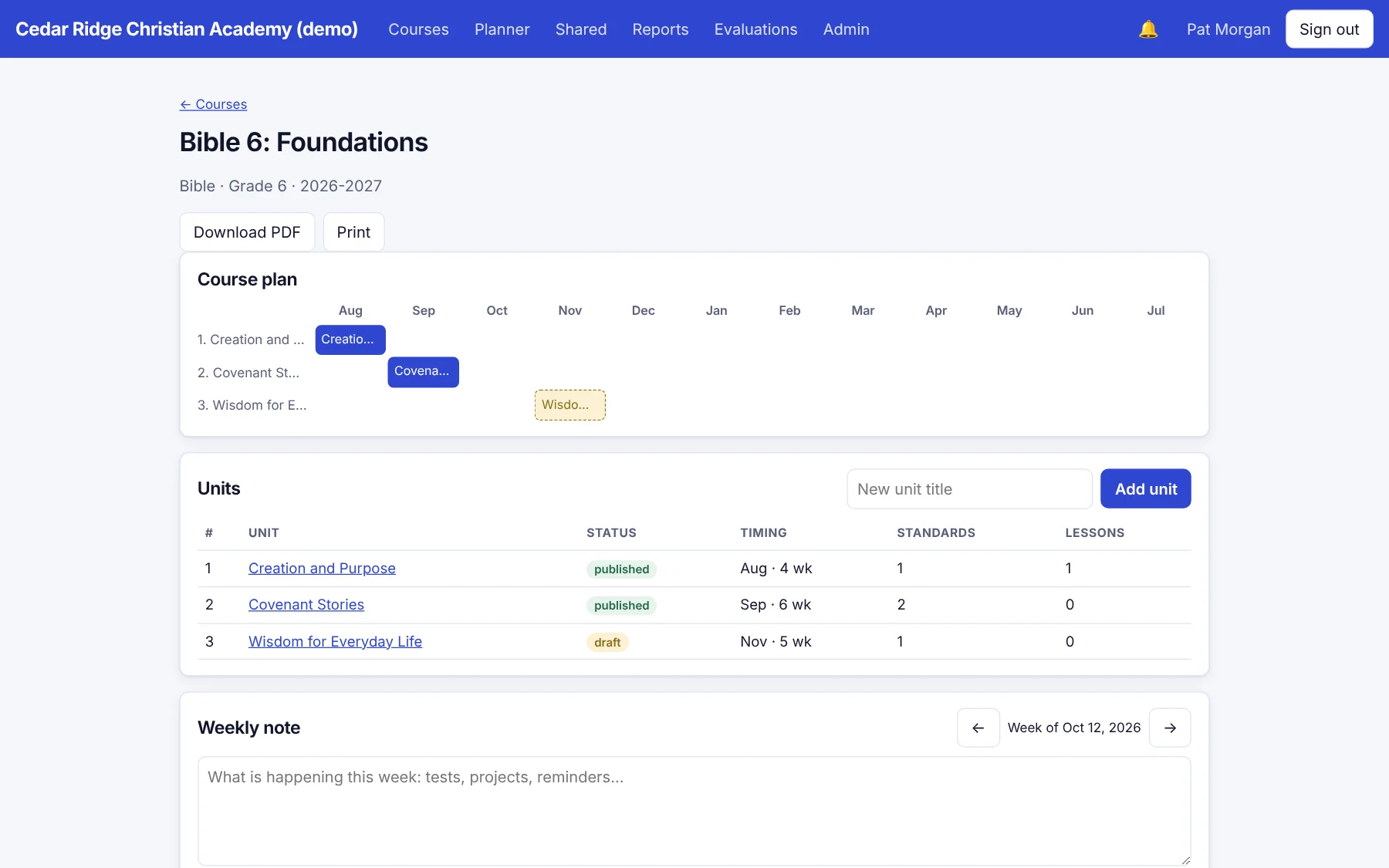
  • Course catalog by year, with teachers assigned
  • Month-by-month course plan
  • Unit templates you design: text, rich text, lists, choices, dates
  • Draft and publish, with full version history and restore
  • Copy a unit, choosing what comes along
  • Year rollover creates next year's courses as drafts
Course plan and unit list
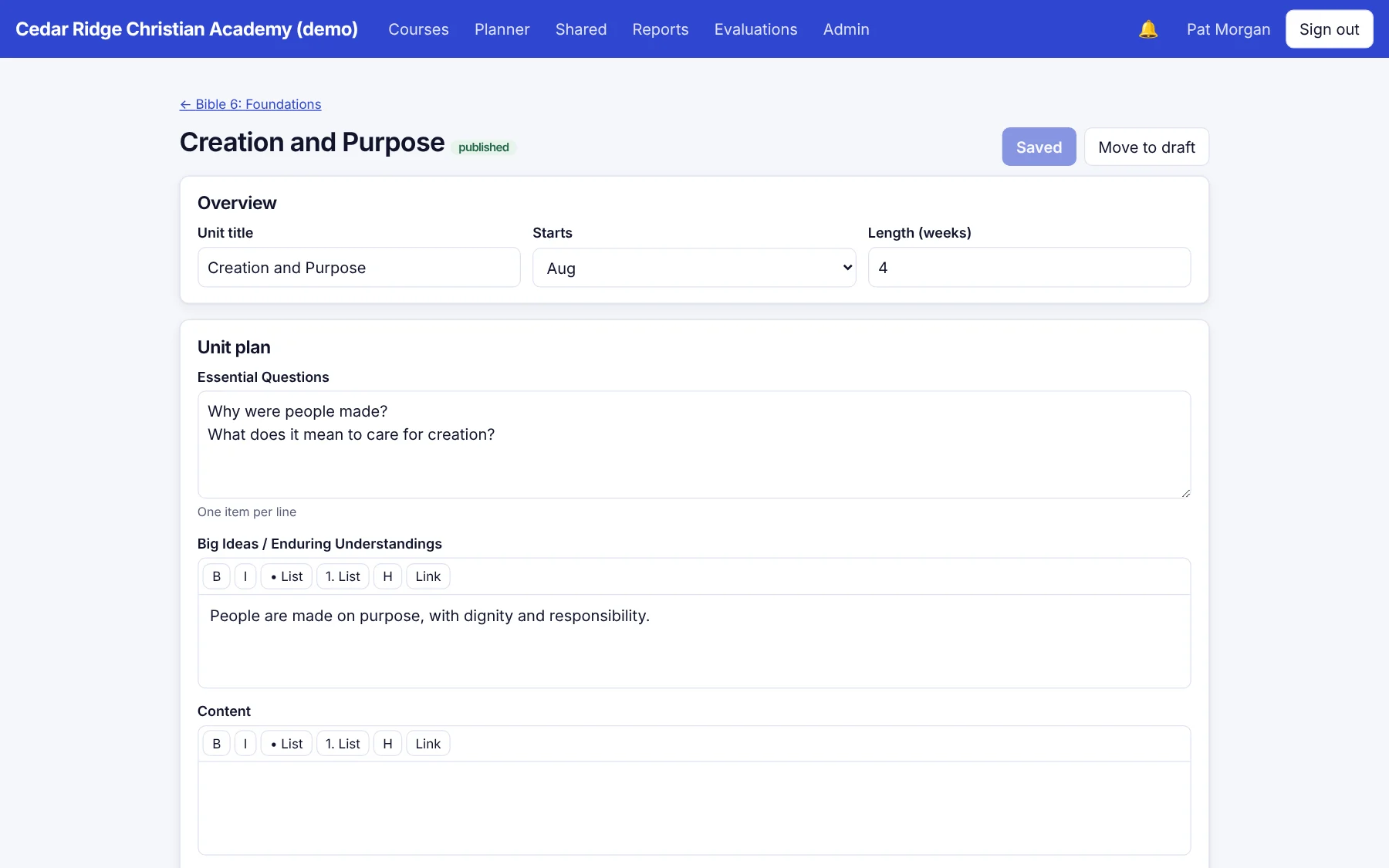
Unit planner

Unit and lesson planning

Plan it once. Teach it well.

Units hold the big picture. Lessons carry the day-to-day, inheriting standards and mission tags from their unit.

  • Rich-text editor with lists, headings, and links
  • Weekly planner and lesson bank
  • Import lessons from Word, HTML, text, or CSV
  • Ready, reviewed, and send-back workflow with reviewer notes
  • Comments, replies, and a notification bell
  • Print or download a PDF of any unit, lesson, or course map

Standards

Aligned, and provably so.

Bring the standards you use and tie them to units. Then see exactly where coverage is thin.

  • Free library of state and national standards sets
  • Import any set from a spreadsheet
  • Align standards to units and lessons
  • Standards alignment and gaps report
Open books on a table
Stained glass window

Mission integration

Your mission is not a footnote.

Define the framework your school actually uses, then tag the work against it.

  • Customizable two-level mission framework
  • School-wide outcomes with coverage reports
  • Mission by grade and mission integration coverage
  • Starter framework you can edit or replace

Reports

Leadership sees what is true.

Reports are live, not assembled the night before the board meeting.
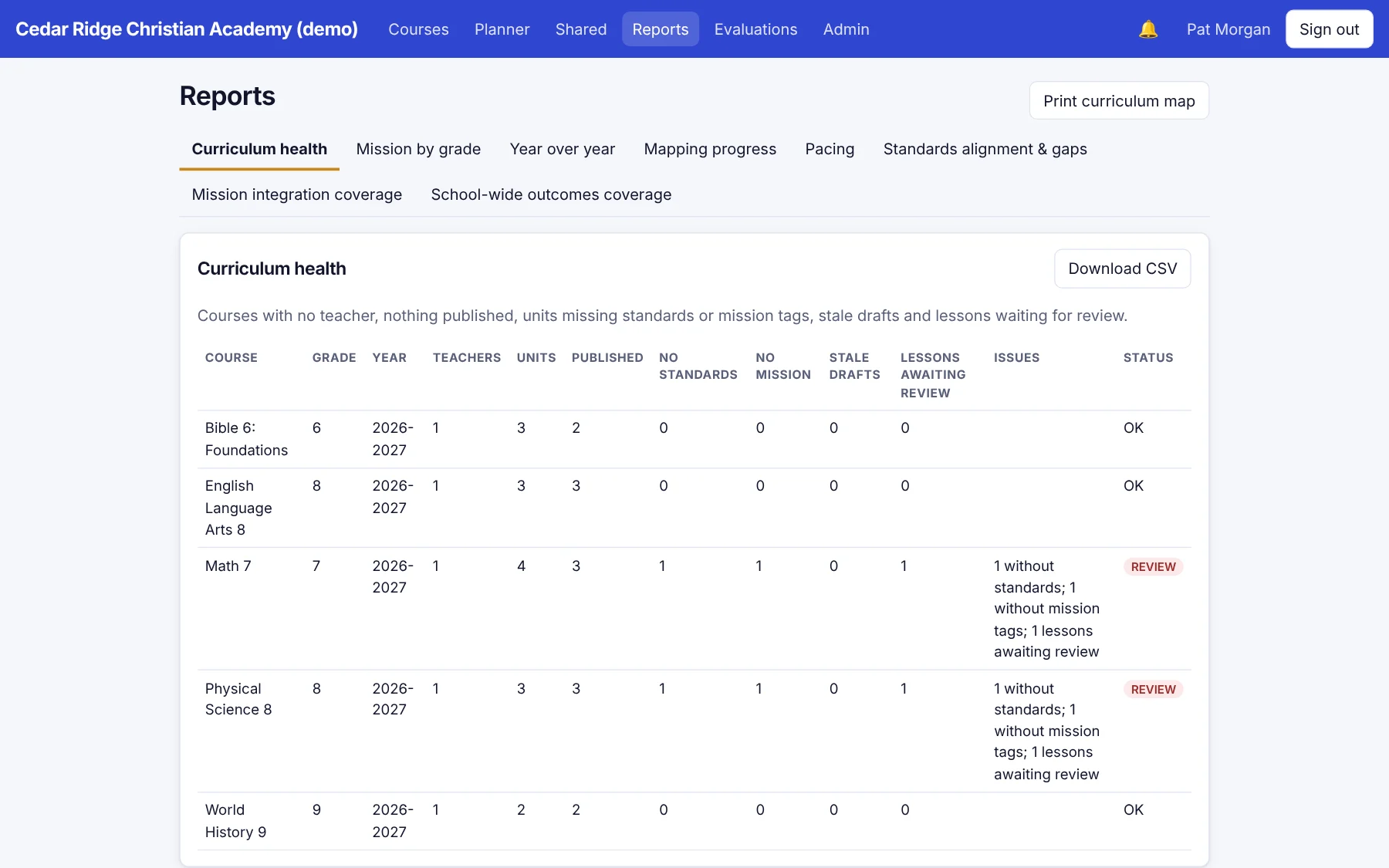
  • Curriculum health, pacing, and mapping progress
  • Year-over-year comparison
  • Printable curriculum map and accreditation PDF
  • CSV export of every report
Curriculum health report
Colleagues working together at a laptop

Google and sharing

Works where teachers already are.

Teachers send their work to Google, and colleagues share it inside Scriptorium.

  • Send a unit or lesson to a Google Doc
  • Create a Google Classroom draft, which posts nothing until the teacher reviews it
  • Share a unit or lesson with the whole school or named colleagues
  • Share between schools as a copy the receiving school can edit

And more

The details schools ask about.

Roles and permissions

Built-in and custom roles, with per-person exceptions. Changes apply immediately.

Two-step sign-in

Optional authenticator-app protection, with admin-assisted recovery.

Audit log

A permanent record of who did what and when.

Bulk import

Staff and courses from CSV or OneRoster files, with a preview before anything changes.

Your brand

Your school's name, color, and logo on its own sign-in page.

Staff evaluations

Optional evaluation cycles and goals, encrypted at rest and visible only to those you choose.

Bring your curriculum home.

See Scriptorium with your own courses, your own mission, and your own people. Thirty minutes, no pressure.