Maps teachers actually keep.
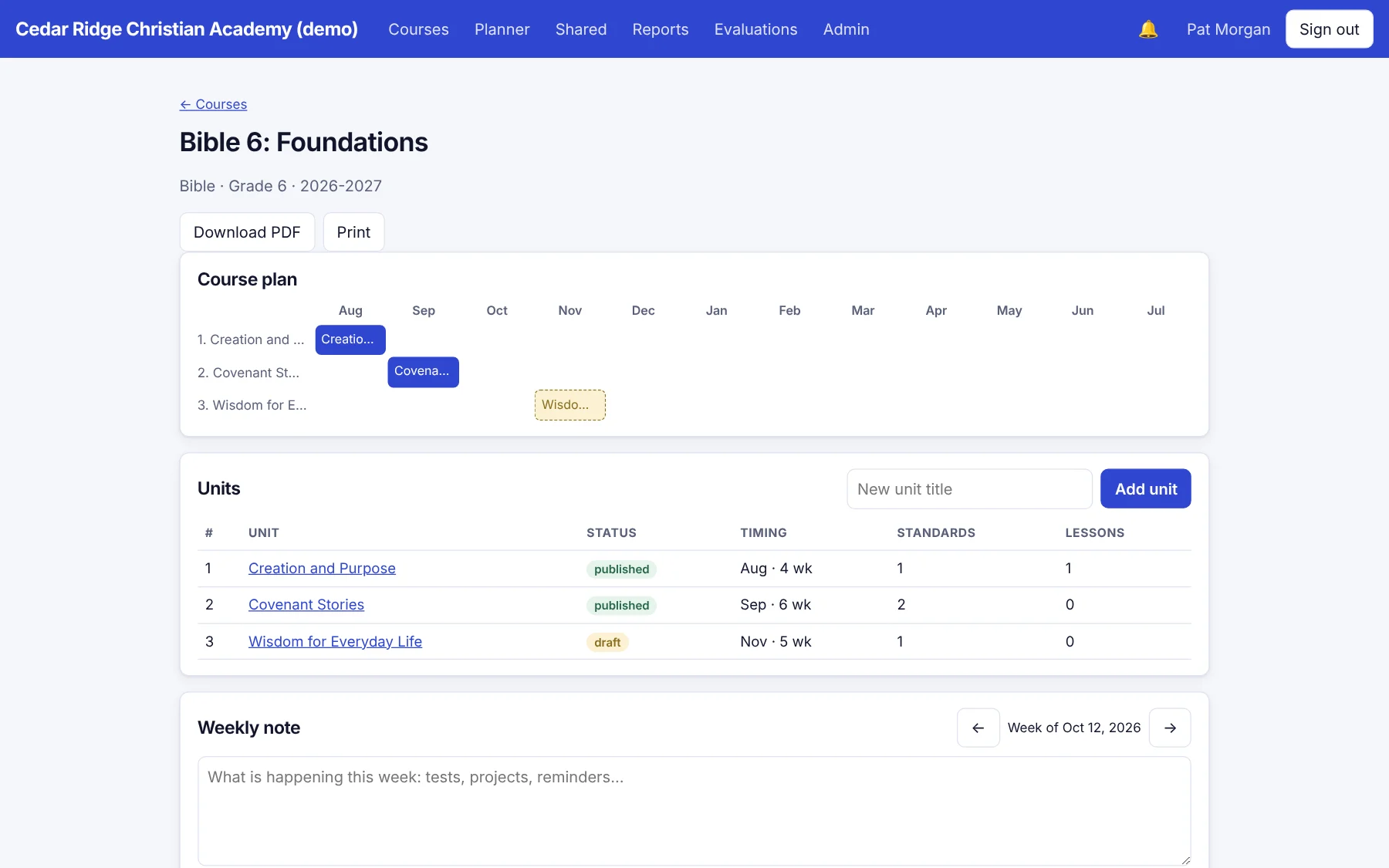
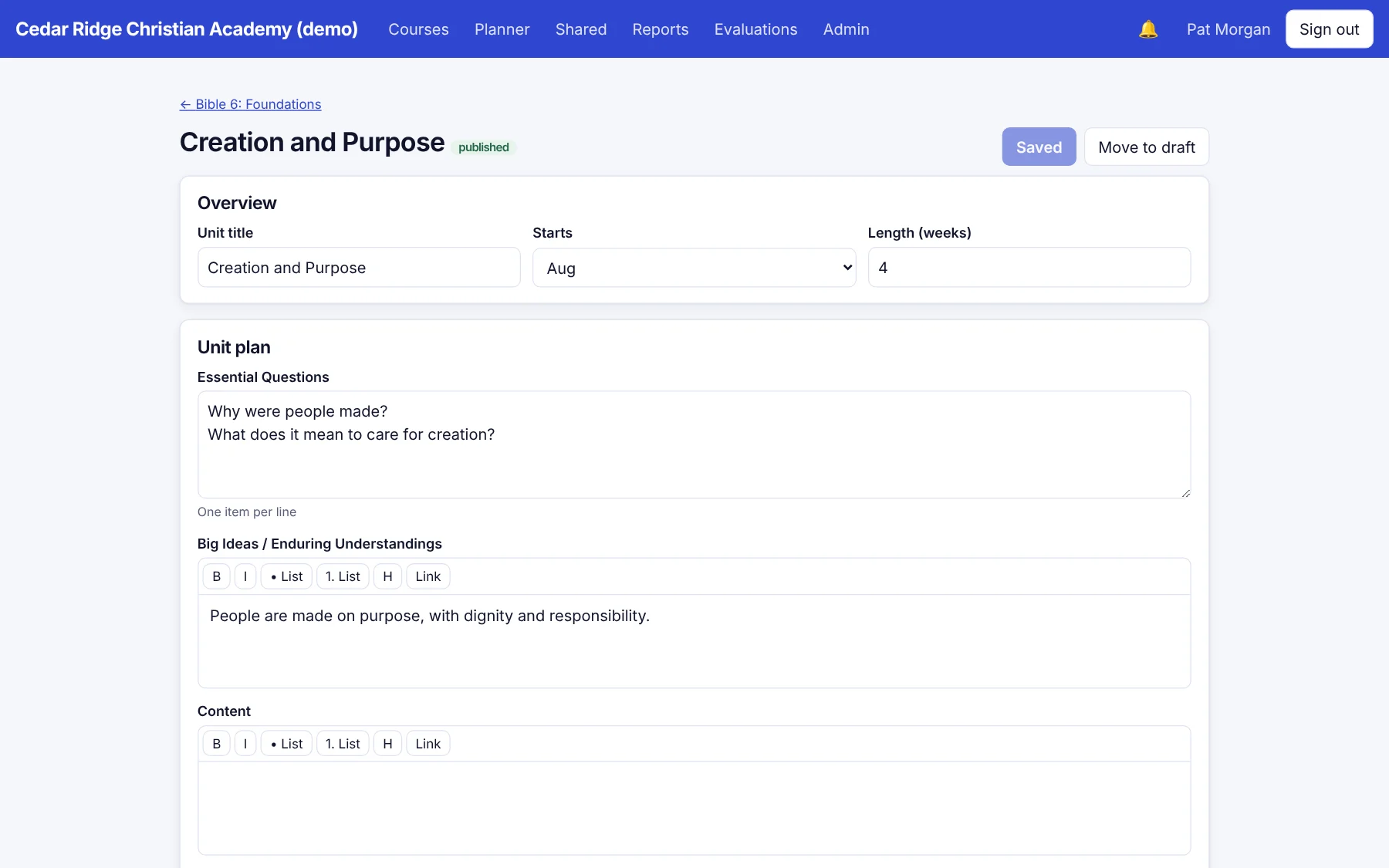
A month-by-month course plan, unit planners built from your own templates, draft and publish states, version history, and conflict-safe editing when two people open the same unit.

Scriptorium is the curriculum-mapping home for faith-based schools. Plan units, align standards, weave in your mission, and keep every teacher on the same page.
The platform
A month-by-month course plan, unit planners built from your own templates, draft and publish states, version history, and conflict-safe editing when two people open the same unit.
Build your own mission-integration framework and tag units and lessons against it. See where it shines and where it's thin, by grade and by subject.
Search a free library of state and national sets, or import your own. Every gap is one click from a report.

Designed around how Christian schools actually plan.
Weekly planner, lesson bank, reviewer notes, and a ready-to-reviewed workflow.
Send any unit or lesson to a Google Doc, or to a Classroom draft, from the teacher's own account. Nothing posts until the teacher says so.
Curriculum health, pacing, standards gaps, mission coverage, and accreditation-ready PDFs, with CSV export for anything.
Leadership view
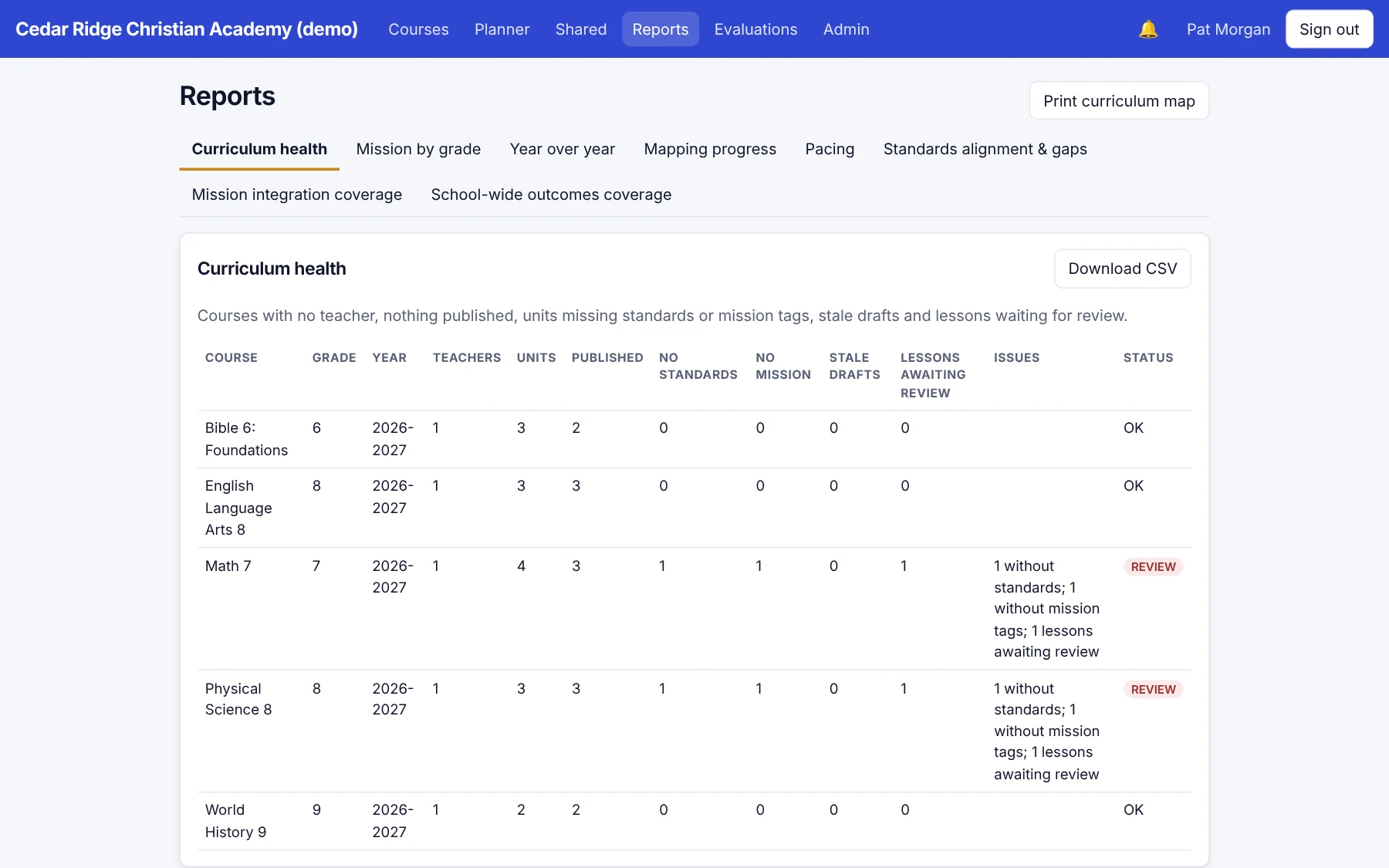
Curriculum health shows courses without a teacher, units missing standards or mission tags, stale drafts, and lessons waiting on review, all in one table.

Why “Scriptorium”
The scriptorium was the room where a community copied, corrected, and kept the work it could not afford to lose. A school's curriculum deserves the same care.
Getting started
We create your school space, sign-in page, and branding. Import staff and courses from a spreadsheet instead of retyping them.
Teachers build units in templates you control, align standards, and tag mission. Comments and version history keep everyone in step.
Reviewers approve lessons, leaders watch the health report, and the board gets a clean map for accreditation.
People and permissions
Administrators, teachers, coordinators, and staff, each with permissions you can tune. Add custom roles like "Librarian" or "Department head."
Built to be trusted
Questions
Faith-based K-12 schools that want one calm place for curriculum maps, unit and lesson plans, standards, and mission integration. It works for any school, and the mission framework is yours to define.
No. Scriptorium is built for staff and curriculum, and schools agree not to enter student records. If a bulk import file contains student or family rows, they are ignored.
Yes. Import any standards set from a spreadsheet, or search the free library of state and national sets. The mission-integration framework is fully customizable.
Teachers can connect their own Google account to send a unit or lesson to a Google Doc or a Classroom draft. You can switch this off for the whole school.
With their school code, email, and password, with optional two-step sign-in. Single sign-on with Google, Microsoft, or SAML is available on request.
We're onboarding our first schools now. Request a demo and, after a short conversation about your school, we'll send a quote.
Sign in here with your school code.
See Scriptorium with your own courses, your own mission, and your own people. Thirty minutes, no pressure.